
Create professional invoices with our free Billing Invoice Template. Whether you're billing for products, services, freelance work, or business transactions, our editable Word, Excel, and PDF templates make invoicing simple and organized.
You can also create invoices online using our AI Invoice Generator. For general business billing, our Free Classic Business Invoice Template provides another flexible option.
Select the format that suits your work process and customize it with your business particulars, customer details, product or service offered, quantity, rate, tax, discount, terms of payment, and invoice number.
Whether you require a for Billing invoice template free download or an editable billing form, these templates make it easy to generate invoices.
Use our editable Billing invoice template Word to edit information such as customer info, products or services provided, prices, taxes, and payment terms without losing professionalism. It is an ideal option for companies that use Microsoft Word to generate invoices.
Recommended For: Small Businesses, Freelancers, Contractors, Service Providers, Consultants, Agencies
Looking for automated computations? The Billing invoice template Excel will assist in computing for subtotals, tax computation, discount, and total amount to help manage billing processes easily.
Get the professionally formatted Billing invoice template PDF, which can be printed, sent through email, or stored in digital format. This is useful for billing customers and maintaining billing records.
Create Billing Invoices Online
Create billing invoices online without downloading or installing software. Enter your business details, customer information, products or services, rates, taxes, and payment terms to generate a professional invoice in seconds.
If you regularly bill clients for independent services, our Freelance Invoice Template is another convenient option for professional invoicing.
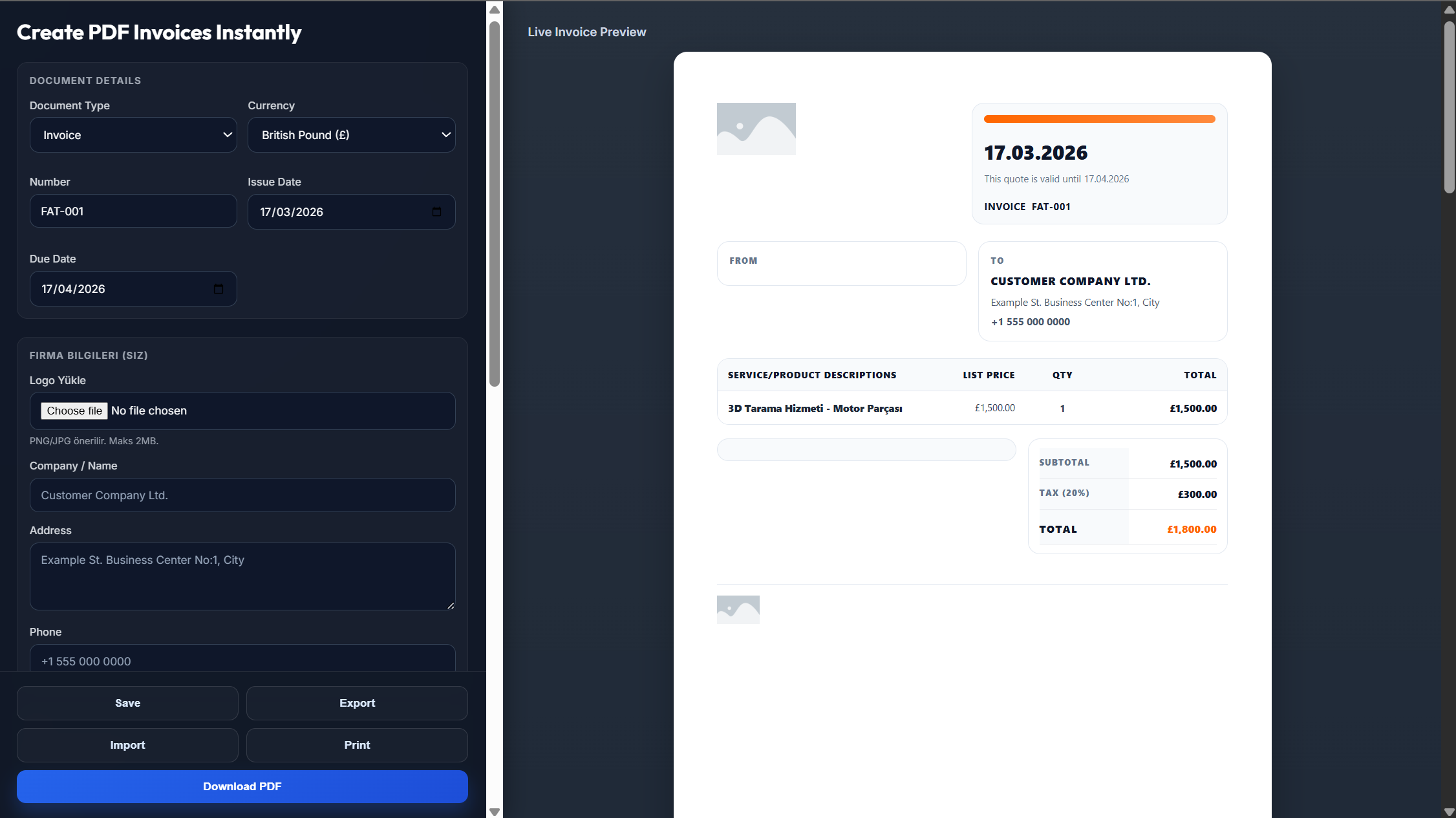
Enter your business name, logo, address, and contact information.
Add your customer's details, invoice number, invoice date, and payment due date.
List the products or services provided, quantities, rates, taxes, discounts, and payment terms.
Review the invoice to make sure all billing information and calculations are accurate.
Download the invoice as a PDF or send it directly to your customer.
Yes, you can. You can download a professional template that's ready for printing, emailing, and digital storage.
Yes, the Word, Excel, and PDF templates are free of charge, and you can also make invoices online.
Yes. The Word and Excel templates are fully editable, so you can change customer information, services, prices, etc.
Yes, enter your business information and generate the invoice online.
Absolutely. You can add your business logo and contact details to personalize the invoice before sending it.