
Create professional invoices for clients with our free Client Invoice Template. Whether you're a freelancer, consultant, contractor, or service provider, our editable Word, Excel, and PDF templates make client billing simple and organized.
You can also create invoices online using our AI Invoice Generator. For general business billing, our Free Classic Business Invoice Template offers another flexible option.
Select the design that suits you the most and modify it as per your business information, client's information, services provided by you, your charges, taxes applicable, payment terms, and invoice number.
If you are looking for a Client Invoice Template Free Download or want to edit your invoices, then here are the right solutions for you.
The editable Client invoice template Word allows changing client details, description of services provided, costs, and other aspects of billing, maintaining a neat layout at the same time. It is a good option for freelancers and service-oriented businesses who need a template for an invoice to be easily edited.
Recommended For: Freelancers, Consultants, Contractors, Agencies, Service Providers, Small Businesses
Looking for automatic computations? You can use our Client invoice template Excel that computes fees, taxes, discounts, and totals. This will make it simpler to create invoices.
Download an expertly designed Client invoice template PDF that you can use to print, send by email, or save electronically. It's perfect for sending invoices to clients.
Create Client Invoices Online
Create client invoices online without downloading or installing software. Enter your business details, client information, services, rates, and payment terms to generate a professional invoice in seconds.
If you regularly bill clients for independent services, our Freelance Invoice Template is another useful option for professional billing.
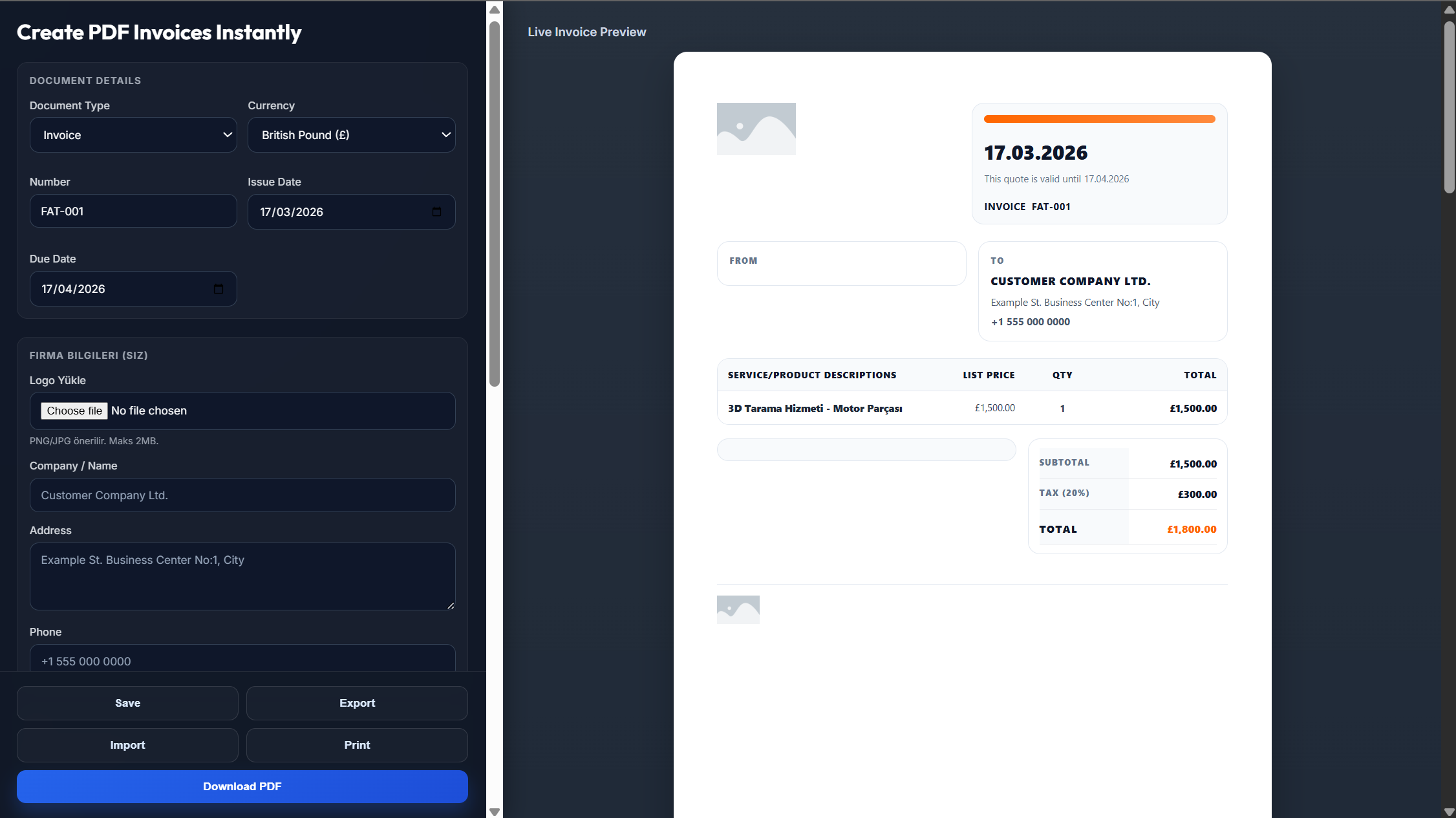
Fill out your company name, company logo, address, and contact details.
Add your client's information, invoice number, invoice date, and date of payment.
Write down the goods and services, rates, quantity, taxes, discount, and other payment details.
Check if all client and billing information is correct in the invoice.
Download your invoice in PDF or email it to your client.
Yes. There is a downloadable professional PDF which is ready for printing or emailing.
Yes. The Word, Excel, and PDF templates are free to use, and you can also create invoices online.
Yes. The Word and Excel versions are fully editable, allowing you to customize the billing information.
Yes. Just enter the client information and details of the service rendered, and you will get an instant invoice for them.
Of course. You can add your company logo to the invoice.