
Create professional invoices for commission-based work with our free Commission Invoice Template. Whether you earn commissions from sales, referrals, partnerships, or client projects, our editable Word, Excel, and PDF templates make it easy to track earnings and request payment.
You can also generate invoices online using our AI Invoice Generator. For independent professionals who bill clients for services, our Freelance Invoice Template offers an additional flexible billing option.
Select the template that fits your work style and fill it with details about your business, clients, or organization, commission description, amount of sales, commission percentage, gross income, tax deductions, and invoice number.
Commission invoice template Word allows you to include commission percentages, sales data, earnings, customer info, payment details, and more while still making your invoice look professional and well-organized.
Recommended For: Sales Representatives, Freelance Agents, Referral Partners, Real Estate Professionals, Affiliate Marketers, Commission-Based Contractors
Do you need automatic calculations? With our Commission invoice template Excel, you will be able to calculate commission percentages, sales totals, taxes, and earnings automatically.
Get a Commission invoice template download in PDF format for easy printing, sending via email, or digital storage. The template is handy when communicating your commission details to clients or businesses.
Create Commission Invoices Online
Create commission invoices online without downloading or installing software. Enter your business details, customer information, sales amount, commission rate, earnings, and payment terms to generate a professional invoice in seconds.
If your work involves ongoing marketing or promotional services, our Marketing Invoice Template can also help organize client billing.
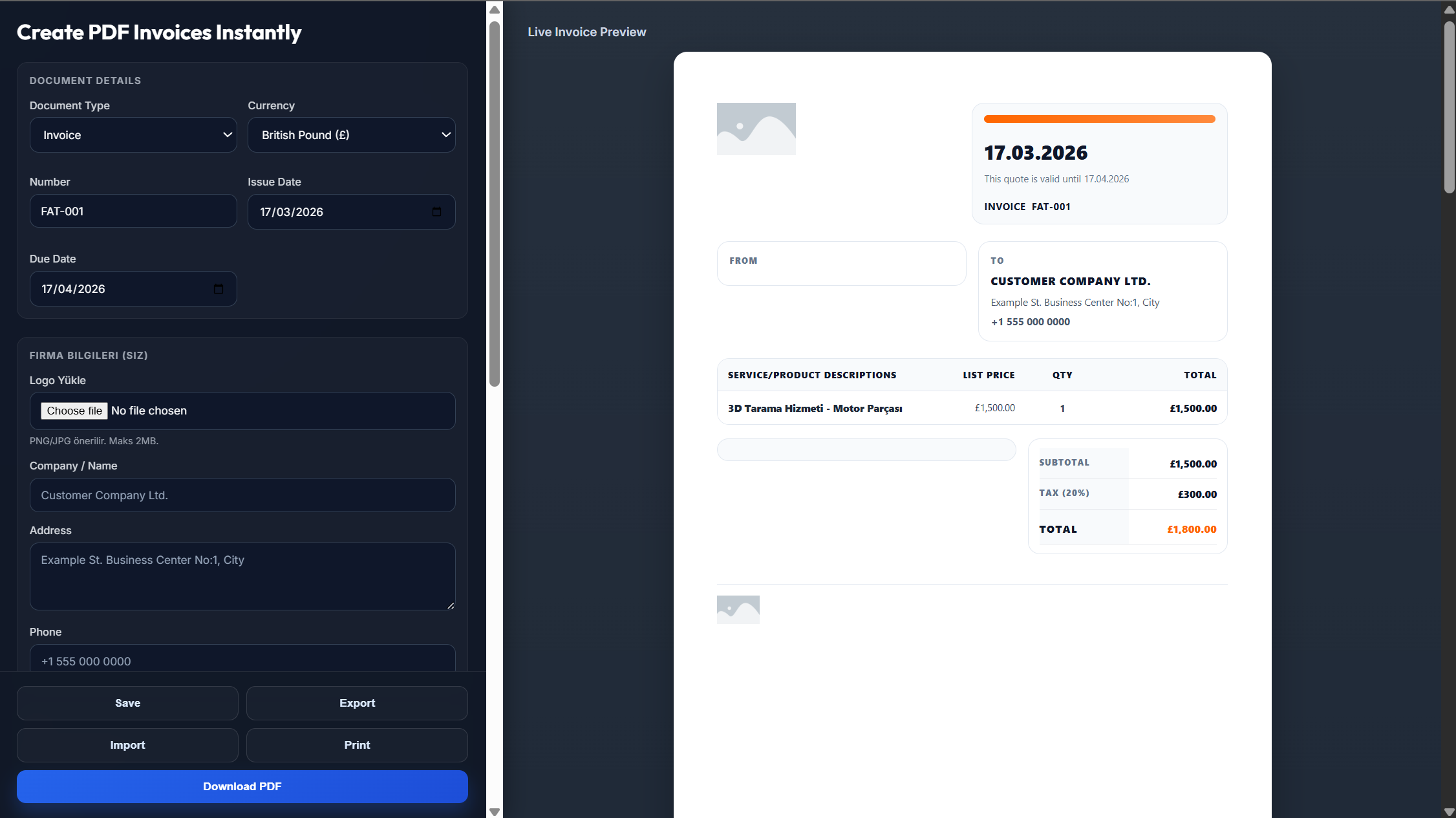
Enter your company's name, logo, address, and contact information.
Enter the name, address, and other contact details of the client or firm along with the invoice number and the invoice date.
Enter the sales amount, commission rate, commission earned, taxes, and payment terms.
Review the invoice to make sure all commission calculations and billing details are accurate.
Download the invoice as a PDF or send it directly to the client.
Yes. You can download an official PDF that is print-ready, email-ready, or even digitally saved.
Yes. The Word, Excel, and PDF templates are free, and you are able to create invoices online too.
Yes. The Word and Excel templates are fully editable. Thus, you are able to edit the commission rates, income, client information, etc.
Yes. You enter the commission and billing information, then create the invoice and download it right away.
Yes. You can upload the company's logo for personalizing the invoice prior to downloading and sending it out.