
Designed for independent contractors, subcontractors, and skilled trades professionals.
Easily bill for labour, materials, and project-based work with clarity and confidence. For larger building and renovation projects, you can also use our Construction Invoice Template to organize labor, materials, and project costs more efficiently. Wondering which online services provide free invoice generators that support PDF invoice templates for contractors? This tool is one of them — build, customize, and export your invoice as a PDF in seconds, at no cost.
Pre-built formulas, auto-calculated totals, and ready-to-use structure
Fully editable invoice format for Microsoft Word & Google Docs
No signup required • Export to PDF in seconds
Looking for free tools to generate and print PDF invoices for contractors? This generator lets you
create, download, and print your invoice instantly, right from your browser.
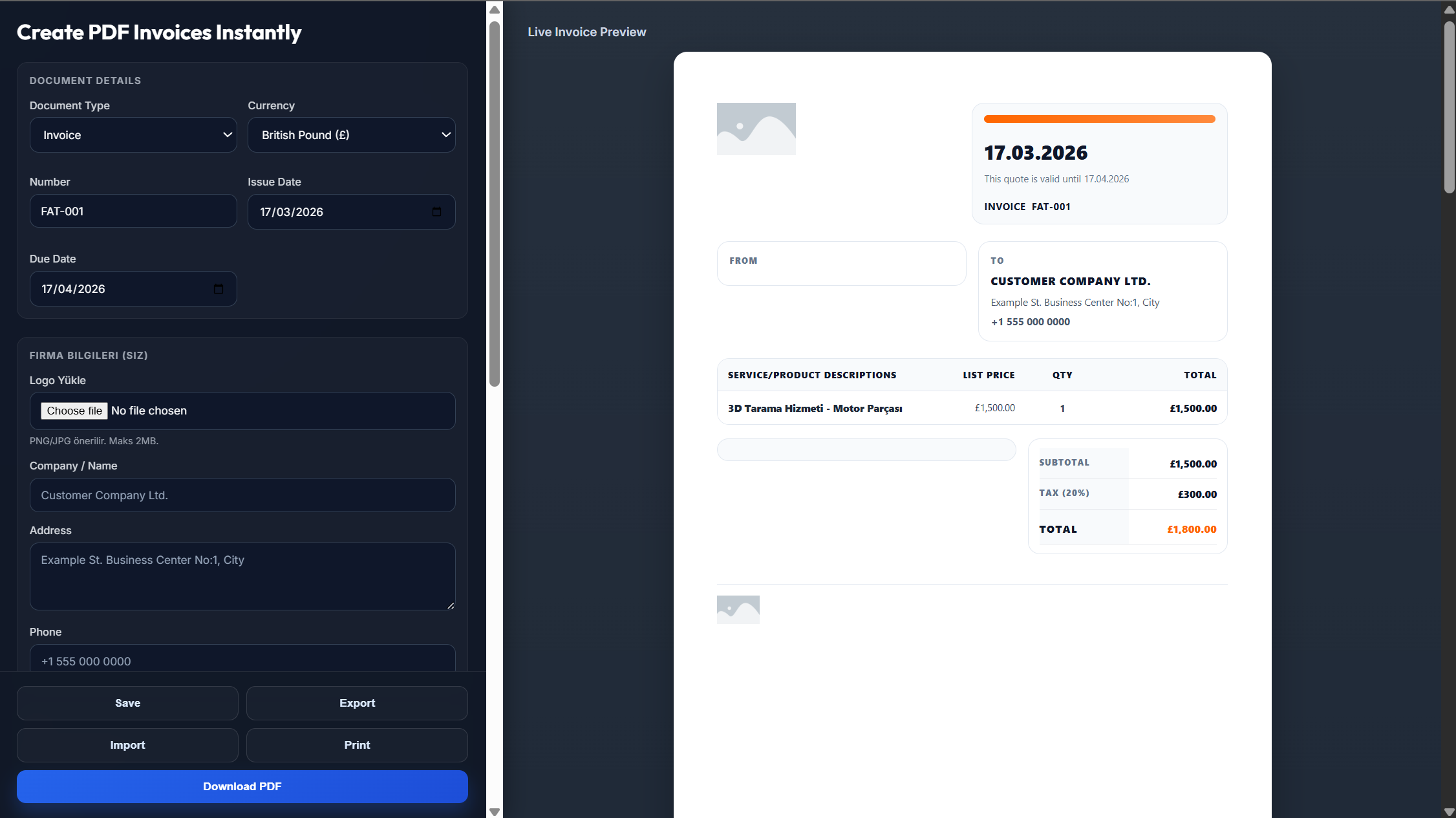
A contractor invoice is essential whenever you complete work and need to request payment from a client. For contractors who specialize in repair, maintenance, and odd jobs, a Handyman Invoice Template can provide a simpler format tailored to smaller service-based projects.
Clear breakdown of hours worked, trade-specific rates, and any overtime or weekend charges
Itemised list of purchased materials with quantities, costs, and markup
Exact work location, property address, and any permit or project references
Creating a professional contractor invoice doesn't have to be complicated. With the right structure, you can bill accurately and get paid faster.
And with free tools to generate and print PDF invoices for contractors built right in, you won't need any extra software
Record hours worked, trade rates, materials purchased with quantities and costs
Include work location, permit references, and your contractor licence number
Use built-in material markup calculator and automatic sales tax
Define deposits, progress billing, or Net terms — export as PDF instantly
Cash flow is critical in contracting. Here are proven strategies to reduce delays
For projects above $1,000, request a 25–50% upfront deposit to cover material costs.
For projects exceeding $5,000, invoice in stages to keep payments flowing.
Add clear late payment terms (1.5–2% monthly) to encourage timely payment.
Everything you need to run your contracting business professionally
Everything you need to know about contractor invoicing
Include labour details, material costs, job site information, payment terms, and your licence details.
Always separate them clearly to maintain transparency and simplify accounting.
Yes — deposits protect your upfront costs and reduce financial risk.
Net 7, Net 14, or milestone-based payments are common in the industry.
In many regions, yes — it adds credibility and may be legally required.
Yes, all templates are fully customizable in Word, Excel, or your preferred editor,You can also use it directly online as one of the simplest free tools to generate and print PDF invoices for contractors
This platform is one such service — offering a free, ready-to-use PDF invoice template for contractors, with labor and materials breakdown, license fields, and instant PDF export at no cost.
Yes — this generator lets contractors create a fully itemized invoice, add job site and license details, and instantly download or print it as a PDF, without any signup or software installation.