
Create professional final invoices with our free Final Invoice Template. Whether you're completing a project, closing a contract, or requesting the remaining balance after previous payments, our editable Word, Excel, and PDF templates make final billing simple and accurate.
You can also create invoices online using our AI Invoice Generator. If you also request advance or partial payments before project completion, our Deposit Invoice Template is a useful option for documenting those transactions.
Select the style that suits you best and customize it by adding the required details about your business, the customers, the finished work, prior payments, outstanding amount, taxes, payment terms, and invoice number.
Whether you are looking for a Final Last Payment invoice template free download or a free editable invoice template, our templates make it easy to issue professional invoices.
Our editable Final Last Payment Invoice Template Word lets you customize the client details, services performed, payment records, amount due, and payment terms while still keeping a professional appearance. It is also perfect for those searching for a Final Last Payment Invoice Template Word Doc or Word free download.
Recommended For: Contractors, Freelancers, Consultants, Construction Firms, Service Providers, Agencies
For automatic calculation? Use our Final Last Payment Invoice Template Excel for automatic calculation of previous payments, outstanding amounts, tax, and total.
Download the ready-to-use Professional Final Last Payment Invoice Template PDF file. This is very useful when making a final payment invoice for a completed project or service.
Create Final Invoices Online
Create final invoices online without downloading or installing software. Enter your business details, customer information, completed work, previous payments, remaining balance, and payment terms to generate a professional invoice in seconds.
If your project also includes reimbursable expenses, our Reimbursement Invoice Template can help you bill those costs separately.
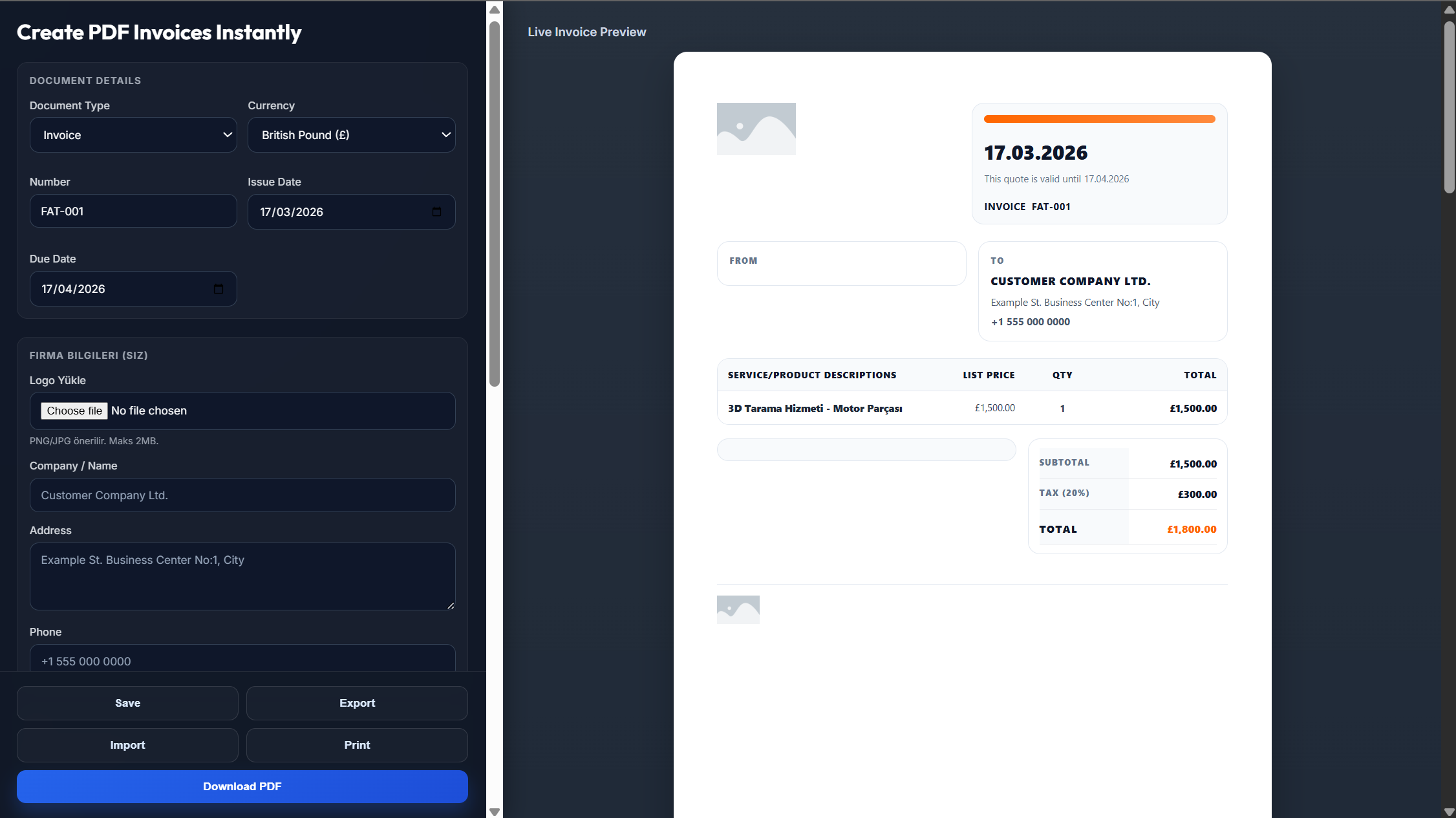
Enter your business name, logo, address, and contact information.
Add your customer's details, invoice number, invoice date, and payment due date.
Include completed services or products, previous payments received, remaining balance, taxes, and payment terms.
Review the invoice to ensure all payment information and calculations are accurate.
Download the invoice as a PDF or send it directly to your customer.
Yes. Get your professional PDF ready for printing, emailing, or storing on your computer.
Yes. Our Word, Excel, PDF templates and online invoice generator are completely free to use.
Certainly. Both Word and Excel templates are fully editable.
Yes. Just put your project details and payment information in and get your invoice ready in seconds.
Yes. Add your company logo to every final invoice created and downloaded.