
Create professional invoices for florists, flower shops, and floral designers with our free Florist Invoice Template. Whether you sell bouquets, wedding arrangements, custom floral designs, or flowers for events, our editable Word, Excel, and PDF templates make billing simple and organized.
You can also create invoices online using our AI Invoice Generator. If you also provide floral arrangements for weddings, parties, or other events, our Catering Invoice Template can be useful for related service billing.
Select the one that will be most suitable for your flower business and fill in your company information, your customer information, your flower arrangement, the quantity, cost price, delivery charges, taxes, any discounts and payment terms.
If you need a Florist invoice template free download, then these are the templates you should consider using.
Our Florist Invoice Template Word can be customized to include customer information, flower arrangements, quantity, price, delivery costs, tax, and payment details. The document is recommended for flower stores and independent florists who desire a customizable invoice.
Recommended For: Florists, Flower Shops, Floral Designers, Wedding Florists, Event Flower Businesses, Online Flower Stores
Want to perform calculations automatically? With our Florist Invoice Template Excel, you will be able to calculate costs of flower arrangement, quantity of flowers required, delivery costs, taxes, discounts, and totals easily.
Get a professional Flower Invoice Template PDF ready for printing or emailing. This invoice is suitable for any type of floral order, including wedding arrangements, event decorations, etc.
Create Florist Invoices Online
Create florist invoices online without downloading or installing software. Enter your business details, customer information, floral arrangements, quantities, prices, delivery charges, and payment terms to generate a professional invoice in seconds.
For general product sales, our Sales Invoice Template provides another simple option for billing customers.
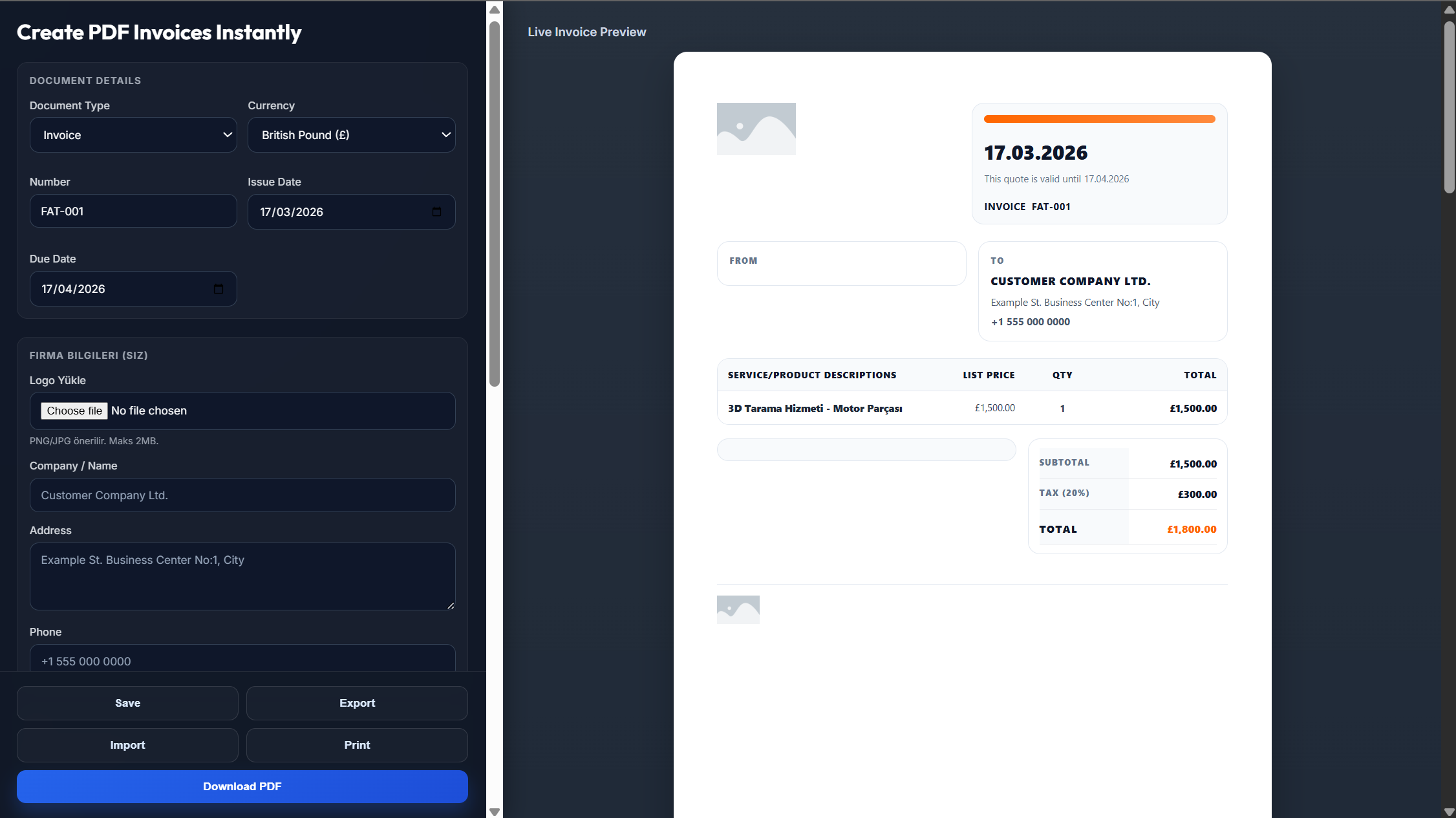
Enter your flower shop or business name, logo, address, and contact information.
Add your customer's details, invoice number, invoice date, and payment due date.
List the flowers or arrangements, quantities, unit prices, delivery charges, taxes, discounts, and payment terms.
Review the invoice to make sure all order details and calculations are accurate.
Download the invoice as a PDF or send it directly to your customer.
Yes. A professional PDF template for creating invoices that is ready for printing and emailing is available.
Yes. All Word, Excel, and PDF templates are completely free to use and you can even generate invoices online.
Yes. You will be able to change the flower description, price, customer's information, and payment terms.
Yes. Simply enter your business and order information and download the generated invoice.
Yes. You will be able to add a logo and contact information to the invoice.