
Ideal for freelancers, independent contractors, designers, developers, and gig workers.
Easily create professional invoices for hourly or project-based work using a clean and modern layout.
Pre-built formulas, auto-calculated totals, and ready-to-use structure
Fully editable invoice format for Microsoft Word & Google Docs
No signup required • Export to PDF in seconds
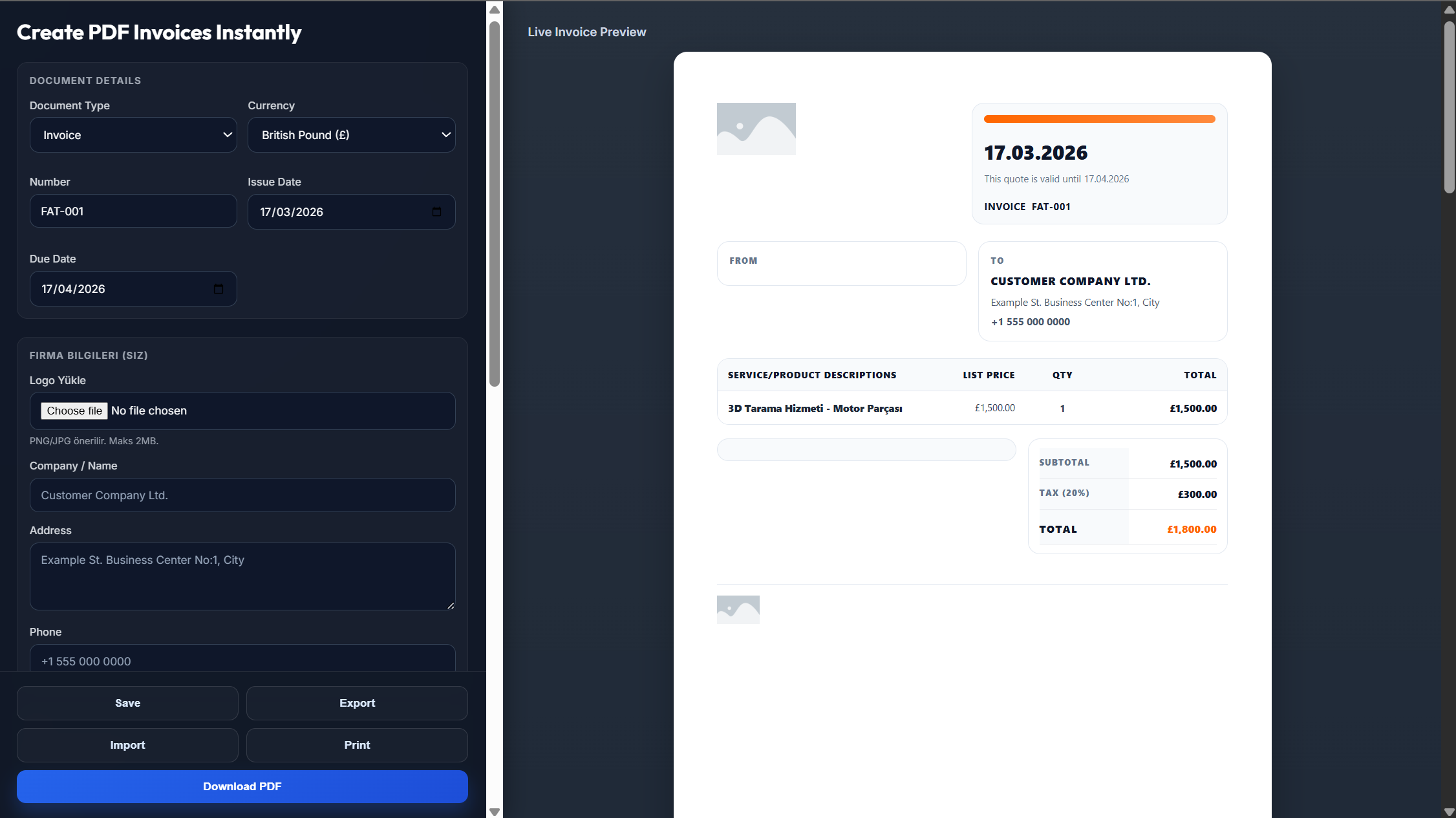
A freelance invoice should be used whenever you complete work for a client and need to request payment. It ensures transparency, keeps your finances organized, and presents a professional image.
Outline the work delivered, services performed, and any milestones achieved
Provide a detailed breakdown of hours worked and pricing structure
Include design, writing, development, or other specialized services
Mention any additional costs such as software, assets, or materials used
Click "Use This Template" to open the invoice editor with a ready-made freelance layout. Enter your business information, client details, services provided, and pricing — then download your invoice as a PDF or send it directly.
Click "Use This Template" to open the invoice editor
Add your business information, logo, and client details
List services provided, hours, rates, and taxes
Export as PDF or send directly to your client
Getting paid on time depends on having the right systems in place
Offer multiple payment options such as PayPal, Stripe, bank transfers, or international payment platforms.
Define your payment terms upfront. Use shorter deadlines, request deposits for large projects, include late fees.
Send invoices right after completing the work instead of waiting. Use reminders and follow up professionally.
Everything you need to manage your freelance business professionally
Everything you need to know about freelance invoicing
Freelancers should send invoices immediately after completing work or reaching agreed milestones to avoid delays.
Short payment terms like Net 15 are effective, especially for new clients.
Yes, including key contract terms helps ensure clarity and prevents disputes.
Add a separate rush fee line item and clearly communicate it to the client beforehand.
Include client details, services provided, pricing, payment terms, and due date.
Yes, you can personalize it with your branding, layout, payment terms, and preferred format.