
Create professional invoices for models, modeling agencies, and freelance talent with our free Model Invoice Template. Whether you bill for photoshoots, fashion campaigns, brand promotions, or appearances, our editable Word, Excel, and PDF templates make invoicing simple and organized.
You can also generate invoices online using our AI Invoice Generator. For modeling work that includes professional photo sessions, our Photography Invoice Template can help you bill clients for related creative services.
Choose the format that suits your workflow and customize it with your business details, client information, project dates, modeling services, rates, expenses, taxes, and payment terms.
Whether you need a Model invoice template free download or an editable billing format, these templates help you create professional invoices quickly.
Our editable Model invoice template Word lets you add client details, campaign information, modeling services, rates, expenses, and payment details while keeping a clean and professional layout. It's a convenient option for freelancers and agencies that prefer Microsoft Word for client billing.
Recommended For: Freelance Models, Modeling Agencies, Fashion Models, Commercial Models, Brand Ambassadors, Promotional Models
Need automatic calculations? Our Model invoice template Excel helps organize modeling rates, session fees, travel expenses, taxes, discounts, and total charges. It's useful for freelancers and agencies managing multiple bookings or client projects.
Download a professional Model invoice template PDF that's ready to print, email, or save digitally. It's ideal for sending clients or agencies a clear breakdown of modeling services and associated charges.
Create Model Invoices Online
Create professional model invoices online without downloading or installing software. Enter your business details, client information, modeling services, project dates, rates, expenses, and payment terms to generate an invoice in seconds.
When a modeling campaign also includes social media promotions or sponsored content, our Social Media Invoice Templates can help you manage those related client charges.
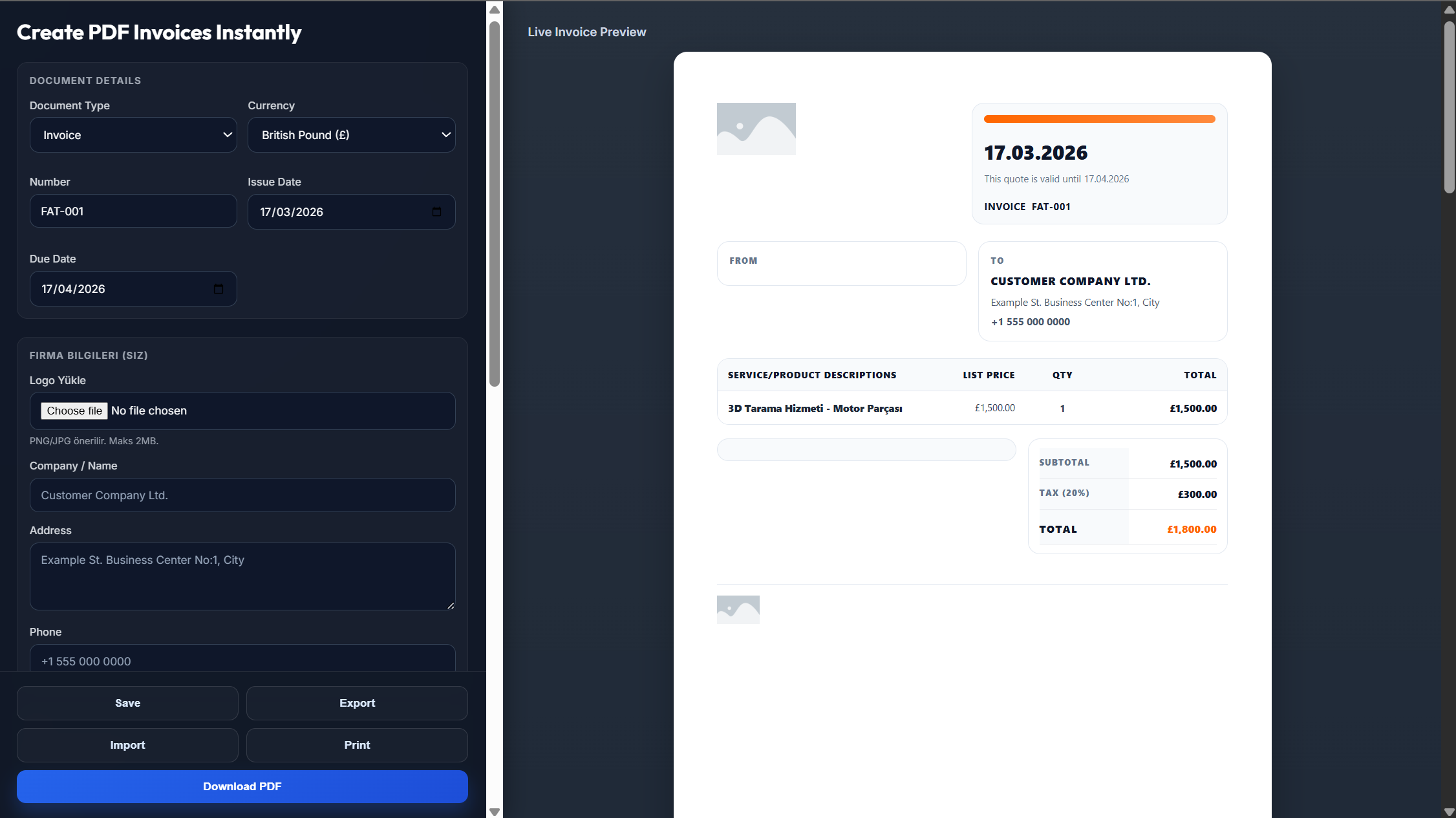
Enter your name or agency name, logo, address, email, and contact details.
Add the client's information, invoice number, invoice date, and payment due date.
List the modeling services, campaign details, project dates, rates, expenses, taxes, and payment terms.
Review the invoice to make sure all services, charges, and client details are accurate.
Download the completed invoice as a PDF and send it to your client.
Yes. You can download a professional PDF that's ready to print, email, or save digitally.
Yes. The Word, Excel, and PDF versions are free to use and customize.
Yes. The Word and Excel versions are fully editable, so you can change services, rates, client details, and payment information.
Yes. Enter your modeling and billing details, generate the invoice, and download it instantly.
Absolutely. Add your personal or agency logo and contact information to personalize the invoice.