
Create professional invoices for nannies, caregivers, and child care providers with our free Nanny Invoice Template. Customize Word, Excel, and PDF templates with care details, hours, rates, and payment information, or create invoices online using our AI Invoice Generator.
For broader child care services, our Daycare Invoice Template can help organize billing for families and parents.
Select a template that is most appropriate for your requirements and fill in all details related to yourself, parents, kids, dates of childcare service, hours spent, hourly rates, extra services provided, costs incurred, and terms of payment.
Whether you require Nanny invoice template free download or any other type of invoicing template, these can assist you in preparing invoices.
With our Editable Nanny Invoice Template Word, you will be able to include details of your parents, kids, care days, number of hours rendered, hourly rates, extra charges, payment terms, and other relevant details.
Recommended For: Nannies, Private Caregivers, Child Care Providers, Live-In Nannies, Live-Out Nannies, Family Care Providers
Automatic calculations needed? Try out our Nanny invoice template Excel that can calculate working hours, hourly wages, extra costs, expenses, taxes, and total costs. You might find it very helpful for your nanny who frequently bills families for childcare services.
Use our professional Nanny invoice template PDF that can be easily printed, emailed, or saved. Mention all care details, hours, services, rates, extra costs, and total payable amount in it.
Create Nanny Invoices Online
Create professional nanny invoices online without downloading or installing software. Enter your details, parent information, children's names, care dates, hours worked, rates, additional services, and payment terms to generate an invoice in seconds.
Nannies who also provide tutoring or educational support can use our Tuition Invoice Template when billing for those services.
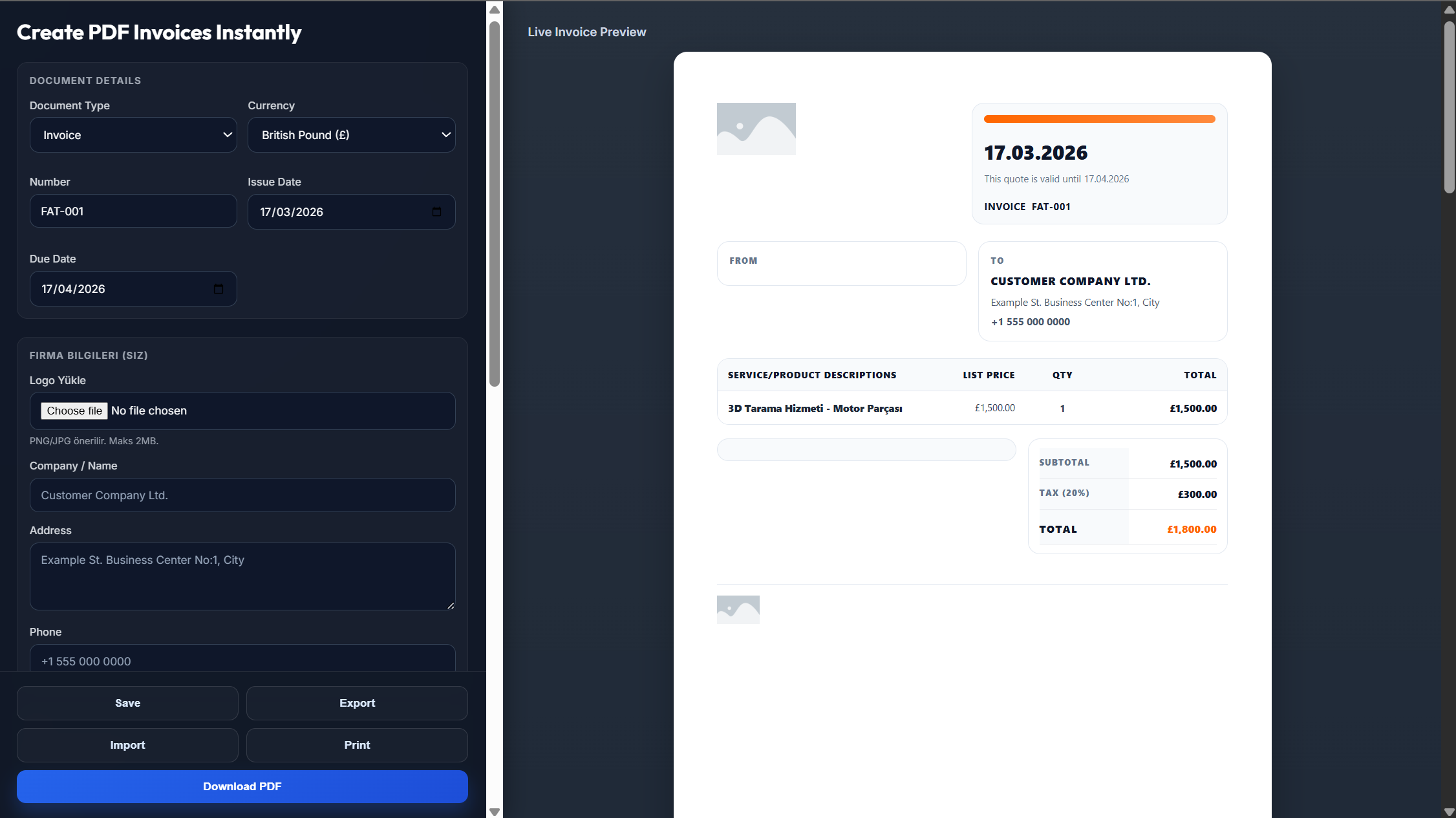
Enter your name or business name, logo, address, phone number, email, and contact details.
Add the parent's information, children's names, invoice number, invoice date, and payment due date.
Enter the care dates, hours worked, hourly rate, additional services, expenses, taxes, and payment terms.
Review the invoice to make sure the dates, hours, rates, services, and total amount are accurate.
Save the completed invoice as a PDF and send it to the parent or family.
Yes. You can download a professional PDF that's ready to print, email, or save digitally.
All versions of the template are free to download and customize.
Yes. The Word and Excel versions are fully editable, so you can change care dates, hours, rates, services, and payment information.
Yes. Enter your child care and billing details, generate the invoice, and download it instantly.
Absolutely. Add your personal or child care business logo and contact information to personalize the invoice.