
Browse our collection of transportation invoice templates designed for transport companies, carriers, and independent service providers. Download, edit, and use the template that works best for your billing needs.
Create Custom InvoiceCreate Your Own Custom Invoice!
Try It FreeThese templates for transport invoices include well-organized fields for services, fees, and other associated costs, all within a clear and printer-friendly layout. Check out our selection of free invoice templates or use our online Invoice Generator tool to make a transport invoice.
If you also provide transportation services for property moves or real estate projects, explore our Real Estate Invoice Templates for another professional billing solution.
Create your first invoice free with our Online Invoice Generator.
Prepare a clear and professional transportation invoice without creating a billing document from scratch.
Try It Free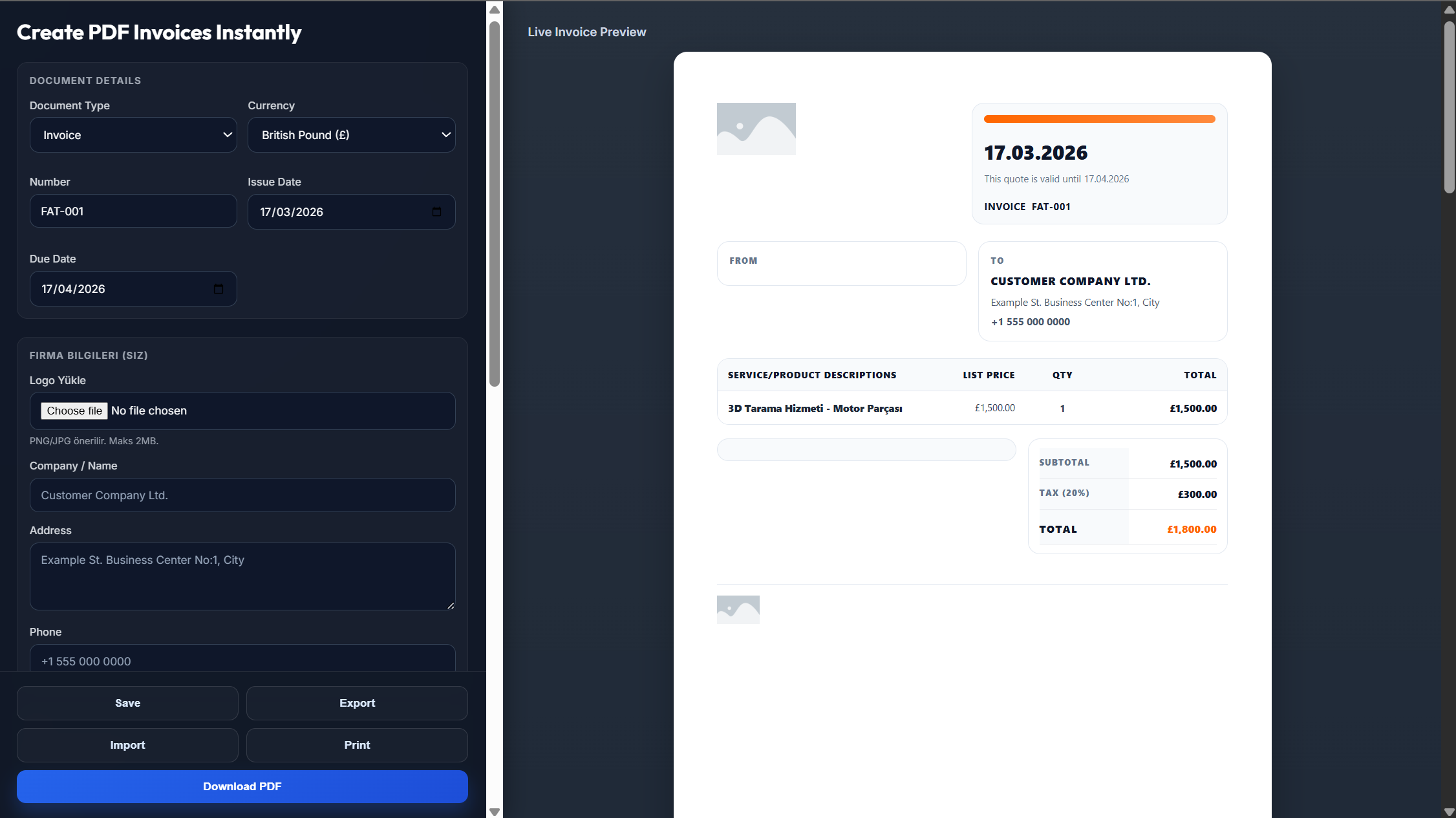
Transportation service providers can benefit from using a structured transportation invoice template in several ways:
A transportation invoice template helps record service details, routes, charges, and customer information in a consistent format, reducing the risk of billing errors.
A professionally formatted invoice gives clients a clear view of the services provided and creates a more polished impression of your transportation business.
Ready-made invoice fields simplify billing and eliminate the need to design a new invoice for every client or transportation job.
Not sure how to prepare your own transportation invoice? Creating one can be simple.
Access our easy-to-use online invoice generator tool
Add your transportation business details, client information, service descriptions, routes, quantities, and charges
The invoice generator calculates subtotals and the final amount due, helping you create a customizable and printer-friendly transportation invoice with fewer calculation errors
A transportation invoice template should include your business name and contact details, client information, invoice number, and billing dates. Clearly list each transportation service with details such as the route, cargo information, mileage, hours, or weight. Include the rate for each service, additional costs such as fuel surcharges or toll charges, applicable taxes, subtotal, total amount due, payment terms, and payment instructions.
Start with a clear invoice format and customize it for your transportation services. Add fields for vehicle details, routes, mileage, cargo weight, and other relevant service information. Include your company logo and business details to personalize the invoice. Save the completed layout as a reusable template so you can quickly prepare invoices for future clients and transportation jobs.
Once you have reviewed your transportation invoice for accuracy, you can send it digitally to your client as a PDF. This makes the invoice easy to access and helps maintain a digital billing record. If your client prefers a physical document, you can also print and mail the invoice. An online invoicing system can make sending and tracking invoices easier.
Begin by entering your transportation business details and the client's information. List each service separately and include important details such as the service date, route, and type of transportation provided. Clearly mention whether charges are calculated by mileage, hours, weight, or another pricing method. Add the service quantity, rate, additional fees, taxes, and final amount due. Include the payment deadline, accepted payment methods, and a unique invoice number for record-keeping.
Use a transportation invoice whenever you need to charge a client for completed transportation services. This may include a single shipment, multiple deliveries, or services completed during an agreed billing period. A transportation invoice provides a clear billing record, documents the services completed, and helps you request payment from clients professionally.