
Create professional invoices for vendors, suppliers, wholesalers, and product distributors with our free Vendor Invoice Template. Whether you supply goods to businesses, manage wholesale orders, or provide products to regular customers, our editable Word, Excel, and PDF templates make invoicing fast and accurate.
You can also create invoices online using our AI Invoice Generator. If you also invoice clients for purchased goods and supplies, our Materials Invoice Template is another practical option for detailed billing.
Pick the format that is most suited to your way of working and then tailor it to fit your own business details, customers' data, product details, quantities, unit prices, taxes, terms of payment, and the invoice number.
If you need a free vendor invoice template or an editable invoice, you will find many professionally designed templates here.
With our modifiable Vendor invoice template Word, you can edit all your customer's data, the products sold, pricing, tax information, and more without compromising on professionalism. This is great for any company that requires a Vendor invoice template Word free download.
Recommended For: Vendors, Suppliers, Wholesalers, Product Distributors, Manufacturers, Retail Businesses
Want auto-calculations? The Vendor invoice template Excel can help you automatically calculate subtotals, taxes, discounts, and totals to make product invoicing easier.
Download a professional Vendor invoice template PDF format to use for printing, emailing or saving online. This document is ideal for keeping track of your sales transactions and sending out invoices to your clients.
Create Vendor Invoices Online
Create vendor invoices online without downloading or installing software. Enter your business details, customer information, product descriptions, pricing, taxes, and payment terms to generate a professional invoice in seconds.
If your business also manages consignment sales, our Consignment Invoice Template offers a convenient way to bill those transactions.
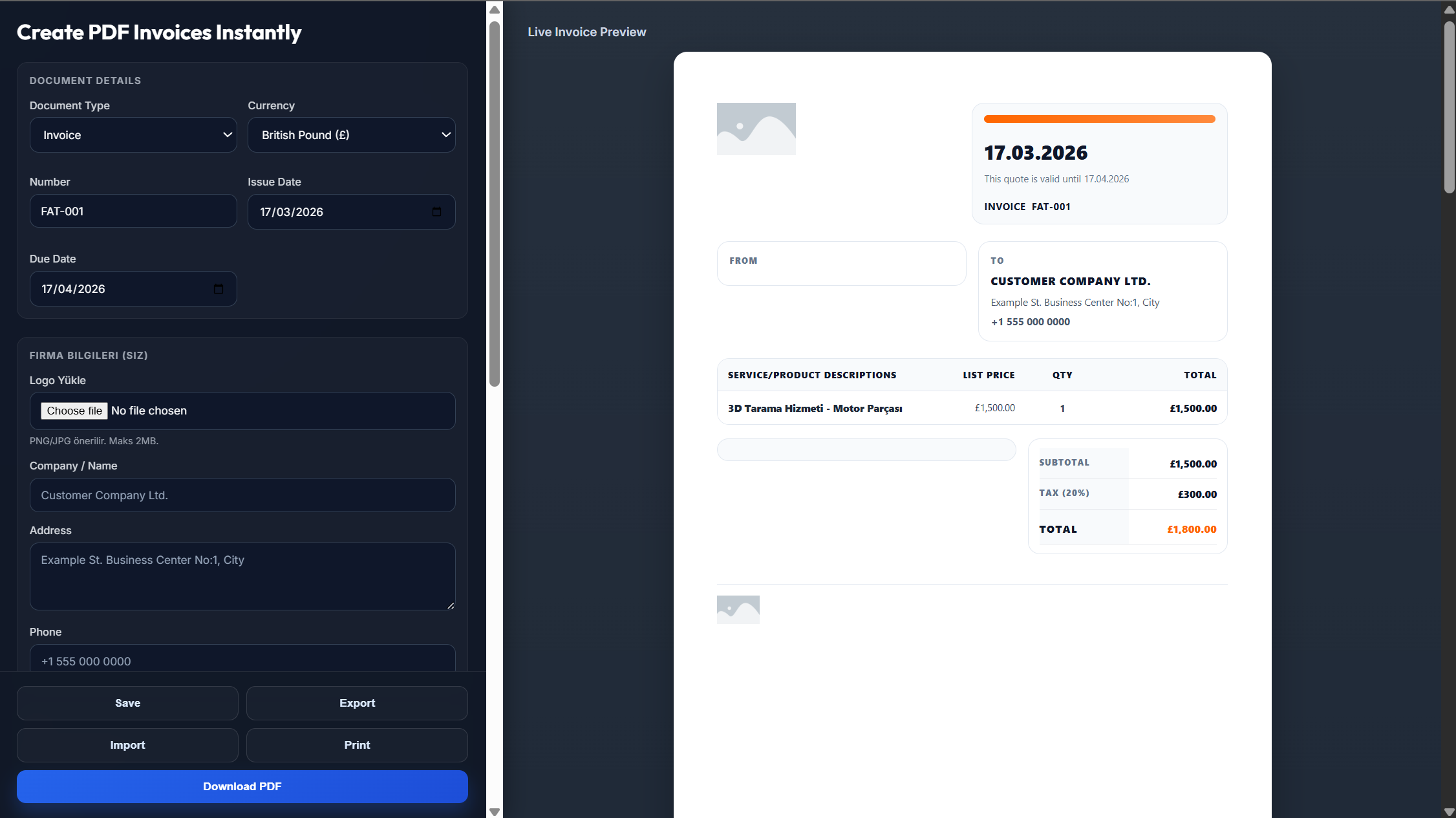
Enter your business name, logo, address, and contact information.
Add your customer's details, invoice number, invoice date, and payment due date.
List the products or supplies provided, quantities, unit prices, taxes, discounts, and payment terms.
Review the invoice to ensure all calculations and billing details are accurate.
Download the invoice as a PDF or send it directly to your customer.
Yes. Get a professionally formatted PDF that is ready for printing, emailing or saving.
Yes. You can use our templates in Word, Excel, and PDF formats and also use our online invoice generator for free.
Yes, of course. The templates in Word and Excel are fully editable.
Yes. Just input your product and billing information, and create your invoice right away in PDF format.
Yes. Add your company logo to make every invoice unique before downloading or sending the invoice.