
Create professional and organized change orders with our free Change Order Template. Whether you're managing construction projects, renovations, repairs, or contractor work, our editable Word, Excel, and PDF templates make it easy to document changes to the original project scope, costs, and timelines.
You can also create invoices online using our AI Invoice Generator. For construction billing, our Construction Invoice Template can help you manage project-related charges professionally.
Select the one that will suit your project management process and modify it with the project particulars, client details, original contractual details, required changes, extra documents, labor charges, updated prices, and approvals.
No matter whether you require a Change order template free download or an editable project template, they assist in organizing your project changes.
Our editable Change order template Word will make it easy for you to document any changes made to your project and organize all the necessary information. Fill in the project name, client information, changes described, additional work done, cost increase, and scheduling changes.
Recommended For: General Contractors, Construction Companies, Remodeling Businesses, Builders, Project Managers, Home Improvement Contractors
Looking for some quick calculations? Get help from our Change Order template Excel in terms of calculating extra costs of materials, labor expenses, new quantities, tax amounts, and project totals.
Get a professionally designed Change Order form PDF which can be printed, e-mailed, or saved on your computer. It will help you in documenting the requested project changes, extra costs, and new deadlines.
Create Change Orders Online
Create professional change orders online without downloading or installing software. Enter your project details, client information, original scope, requested changes, additional materials, labor costs, and revised pricing to prepare a clear document in seconds.
For contractors who need to bill clients for completed project work, our Contractor Invoice Template provides a convenient solution for related invoicing.
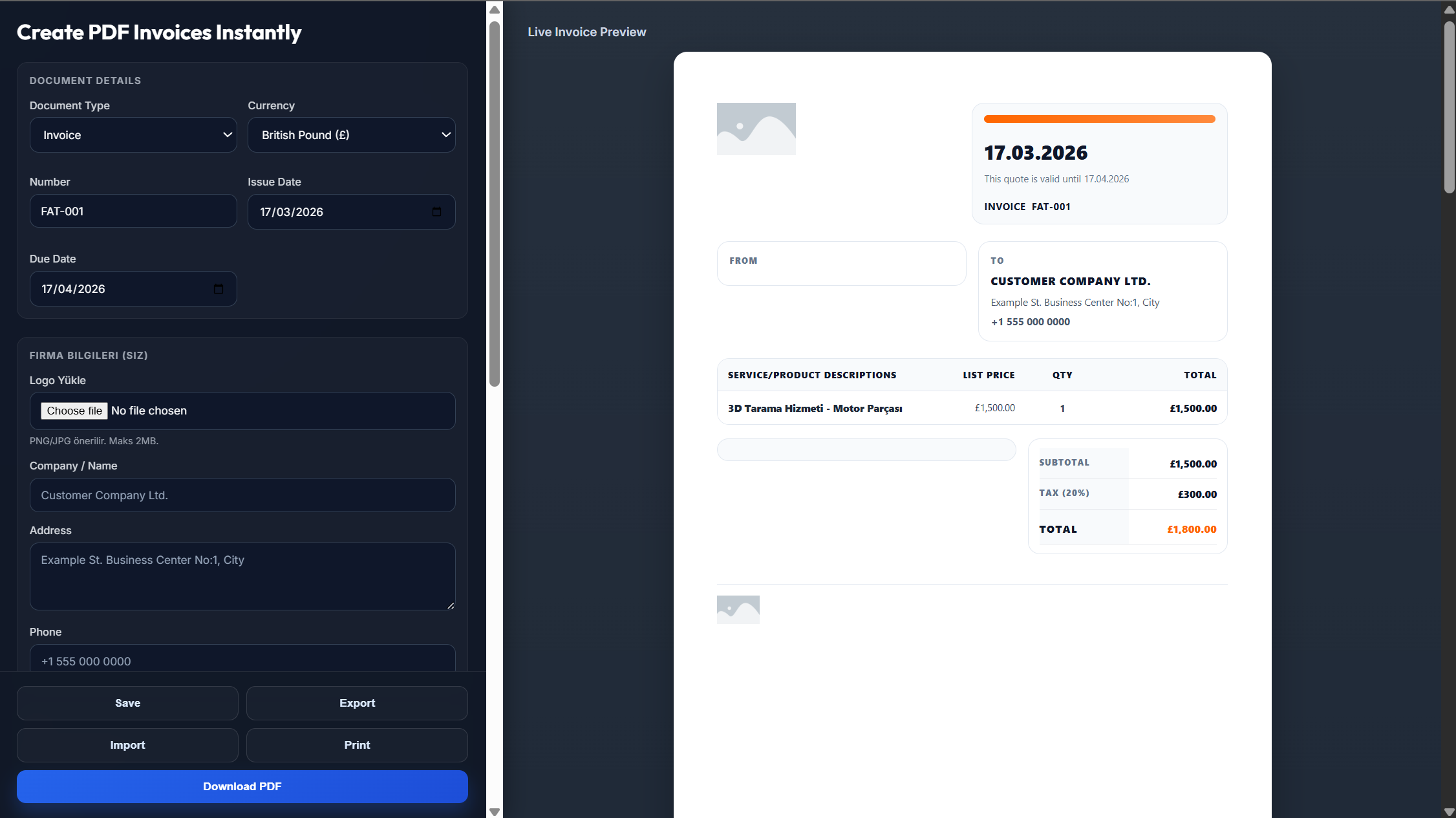
Enter your business name, logo, address, project name, and contact information.
Add the client's details, project number, change order number, and date.
Describe the requested changes, additional work, materials, labor, revised costs, and schedule adjustments.
Review the updated project costs and make sure all information is accurate.
Save the completed change order as a PDF and send it to the client for review and approval.
Yes. A PDF version is available for printing, emailing, or saving in digital format.
Yes. The Word, Excel, and PDF templates are completely free to customize.
Yes. The Word and Excel versions are fully editable, allowing you to enter project information and change details, along with any costs, materials, labor, and approvals.
Yes. Enter your project details and changes, prepare it, then download the change order as a PDF.
Sure. You can insert your company logo and other information into the change order template.