
A powerful spreadsheet-style invoice built for accuracy, clarity, and efficiency.
Perfect for businesses that prefer working in a familiar Excel-like environment with built-in calculations.
Pre-built formulas, auto-calculated totals, and ready-to-use structure
Fully editable invoice format for Microsoft Word & Google Docs
No signup required • Export to PDF in seconds
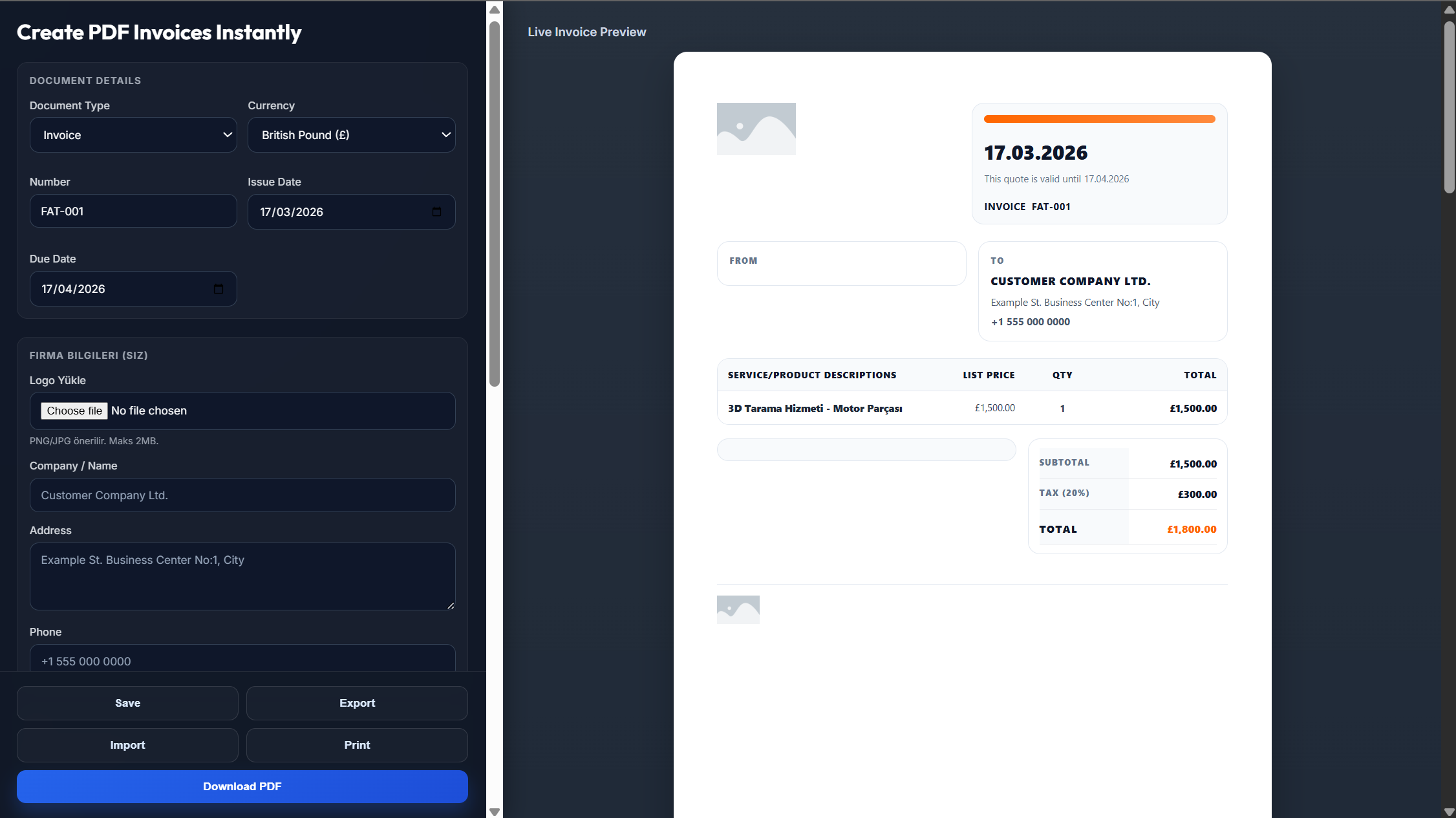
An Excel design invoice template uses a structured spreadsheet layout with grid lines, organized columns, and clear data sections.
Accountants and bookkeepers who rely on spreadsheet formats for consistency and easy reconciliation
Ideal when billing includes multiple line items, detailed breakdowns, or tiered pricing
Structured layouts simplify internal review, approvals, and payment processing
Companies that prefer practical, no-frills documents that integrate smoothly with accounting systems
Creating a professional Excel-style invoice is quick and straightforward
Download the template or open the online invoice generator
Enter your business and client information
Add products or services with quantities and pricing
Let built-in formulas calculate totals automatically, then export as PDF
Built to improve accuracy, speed up billing, and reduce costly mistakes
Finance professionals process invoices faster when the format matches their everyday tools.
All totals, taxes, and subtotals are calculated automatically as you input data.
The clean grid-based layout ensures your invoice looks polished both digitally and on paper.
Everything you need for professional spreadsheet-style invoicing
Everything you need to know about Excel design invoicing
It's a spreadsheet-style invoice that uses rows, columns, and formulas to organize billing details and automatically calculate totals.
It improves clarity, minimizes errors, and allows faster processing—especially for finance teams and detailed invoices.
Yes, the template is fully compatible with Excel, Google Sheets, and other spreadsheet tools.
Yes, it's designed specifically for structured financial workflows, making it ideal for accounting, bookkeeping, and business reporting.
Absolutely. The template supports custom branding including logo placement and color customization.
Yes, built-in formulas handle tax calculations, subtotals, and grand totals automatically.