
Create professional invoices for painters and painting contractors with our free Painting Invoice Template. Add labor, materials, rates, and payment details in Word, Excel, or PDF, or generate invoices online with our AI Invoice Generator.
For larger building projects, our Construction Invoice Template can also help organize contractor billing.
Design your own invoice with your company details, client details, painting services, man-hours, materials, prices, taxes, and terms. If you are looking for a Painting invoice template free download, this is your solution.
The Painting invoice template Word provided by us is editable, enabling you to include customer information, project details, painting services, labor costs, material expenses, and payment details without losing the professionalism of your invoice.
Ideal For: Painting Contractors, House Painters, Commercial Painters, Interior Painters, Exterior Painters, Painting Businesses
The Painting invoice template Excel helps you determine labor hours, paint costs, other expenses, taxes, discounts, and total charges. This is the ideal tool for you if you want to bill your projects effectively.
You can use the Painting invoice template PDF to create an invoice you can easily print or email. You may include your painting services in the invoice.
A professional house painting invoice should clearly show the work completed, such as interior or exterior painting, surface preparation, primer, paint, labor, and additional materials. Listing each charge separately gives customers a clear house painting invoice example and helps avoid billing confusion.
Create Painting Invoices Online
Create professional painting invoices online without downloading or installing software. Enter your business details, customer information, painting services, labor, materials, rates, and payment terms to generate an invoice in seconds.
If you work as an independent painter or tradesperson, our Contractor Invoice Template can also help with broader project billing.
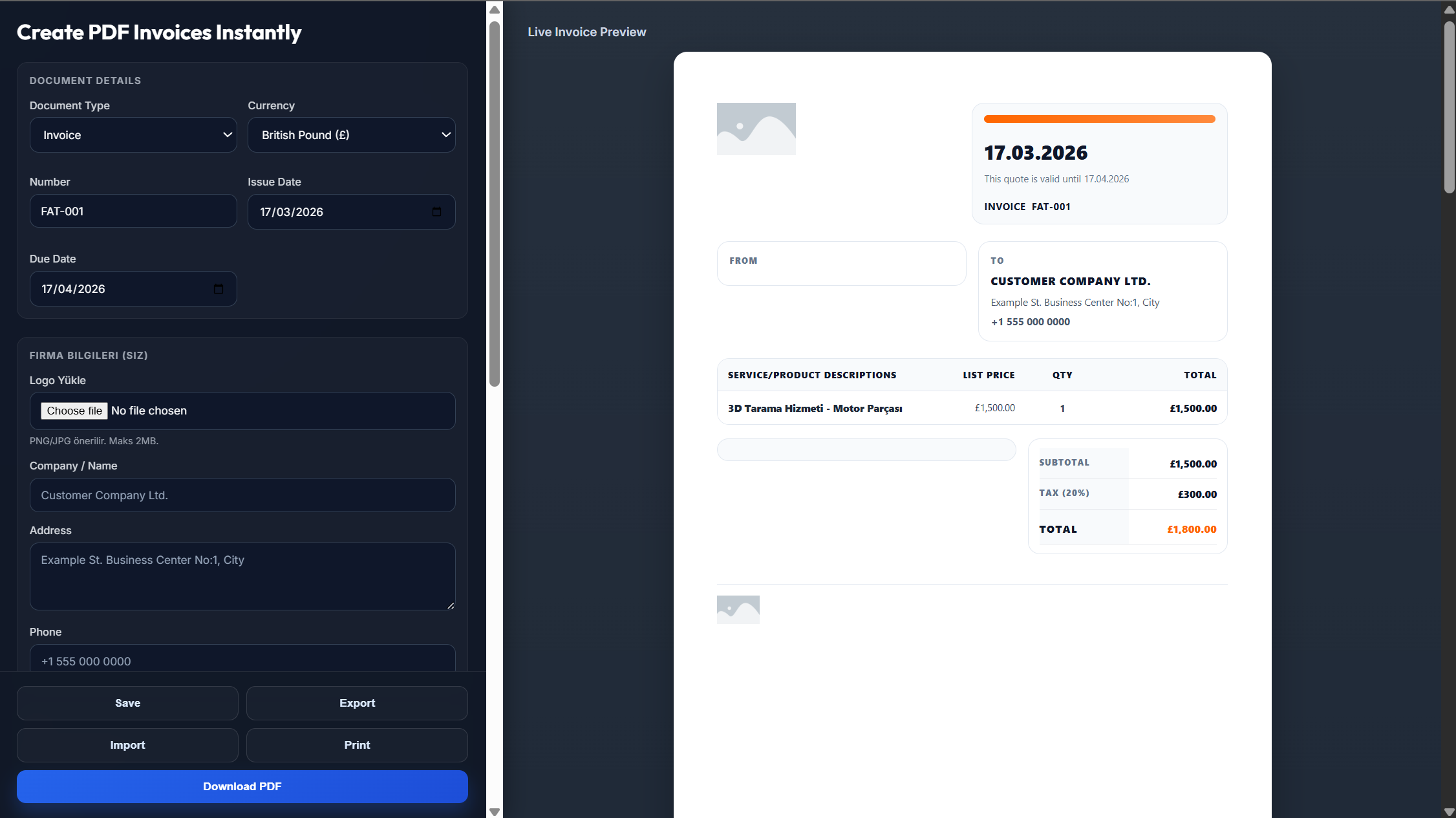
Enter your painting business name, logo, address, phone number, and email.
Enter the customer's name, contact details, project address, invoice number, and date.
Add the painting work completed, labor hours, paint, supplies, rates, and additional charges.
Check the quantities, calculations, taxes, discounts, and total amount due.
Save the completed invoice as a PDF and send it to your customer.
It is a ready-made document that painters and painting contractors can use when charging clients for their work.
Yes. You can edit services, prices, and other information in this format.
Yes. Excel can be used for calculations concerning labor, materials, taxes, and other expenses.
Yes. PDF format is convenient for creating invoices to be printed or sent via email.
All the provided formats can be customized according to your needs.
Yes. Simply provide all the necessary information about your business and project.